Skip to content

The SmartSF App

This is the app.
Not a mockup of it.

Every screen below is a photograph of the app running on a real H2 — no placeholder clocks, no invented trips. The live view and the map were shot on a US road test through Seattle and Washington, DC; the alert list and the settings screen came off one of our own cameras. The camera’s own display, the road footage and the box are from a production H2 in the United States.

Free · Works with the H2 · Live view, alerts, GPS and voice need an active plan and cellular coverage

One thing that confuses people: in the store it is called AIDOVID. Search for SmartSF and you will not find it. The listing you want is AIDOVID on both the App Store and Google Play — same app, same account, same camera. We use the SmartSF name on this site because that is the brand on the box.
Live viewLive view
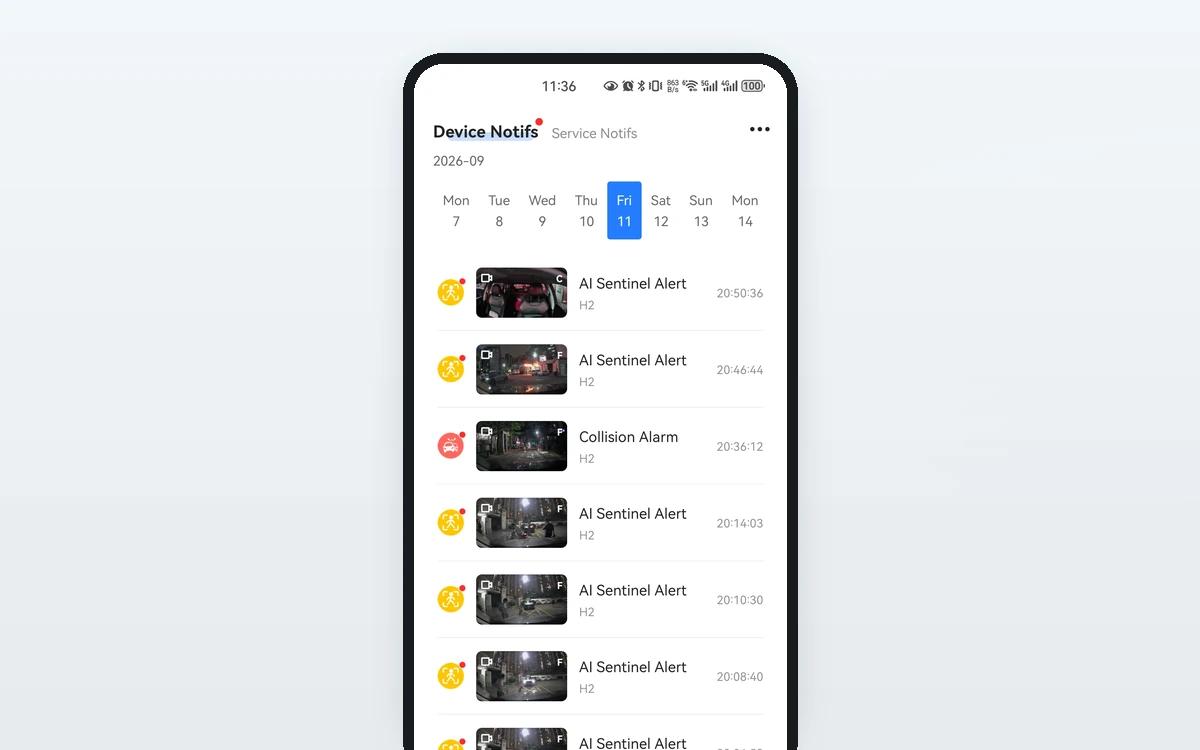
The SmartSF App notification list — AI Sentinel and collision alerts, each with the clip it lockedAI Sentinel
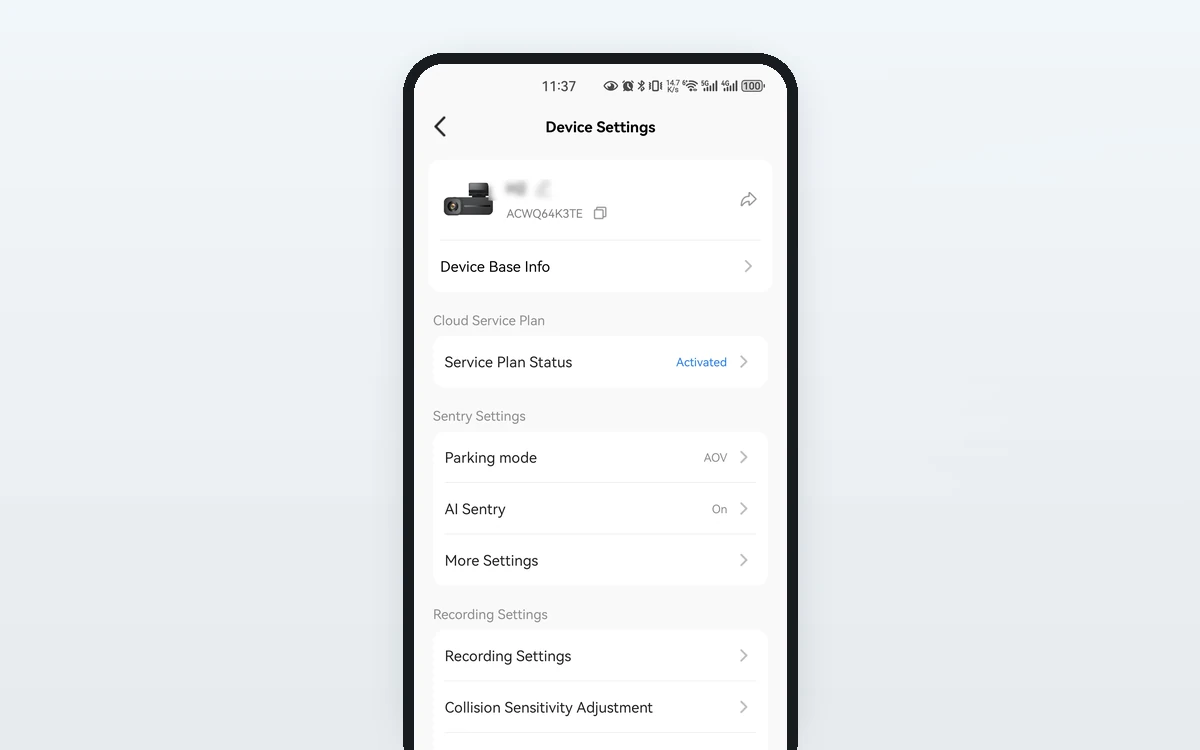
Device settingsSettings
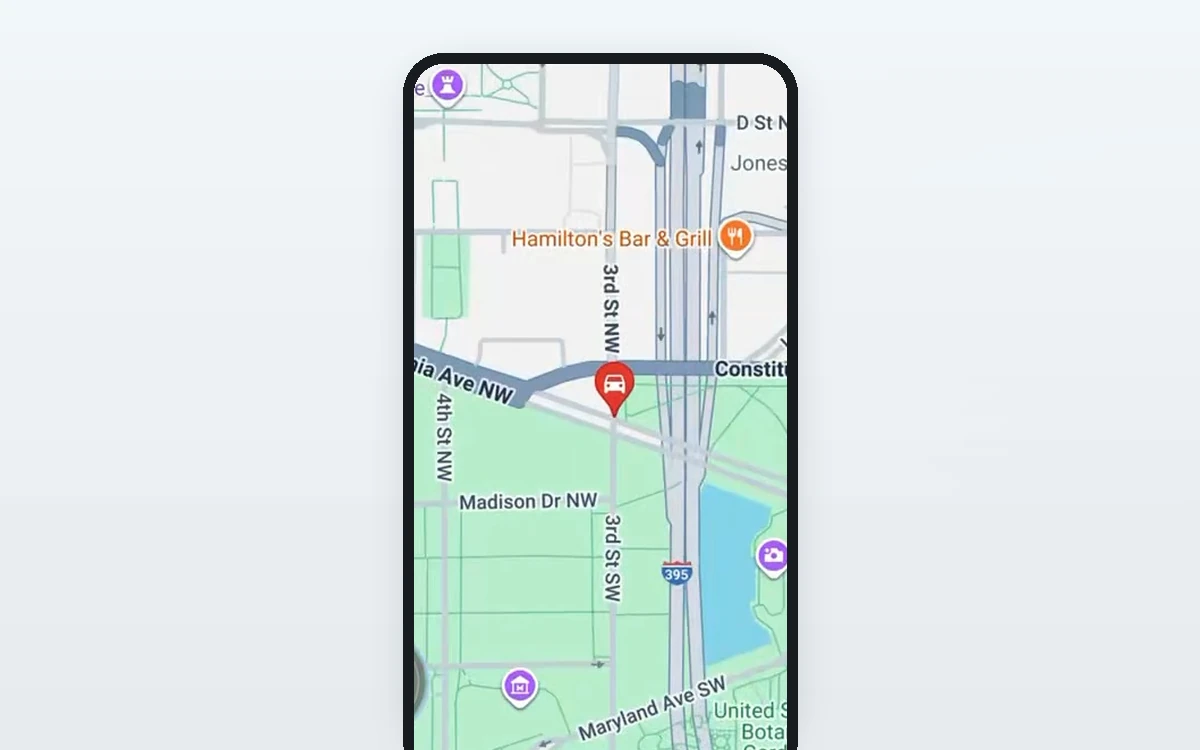
Route on the mapRoute
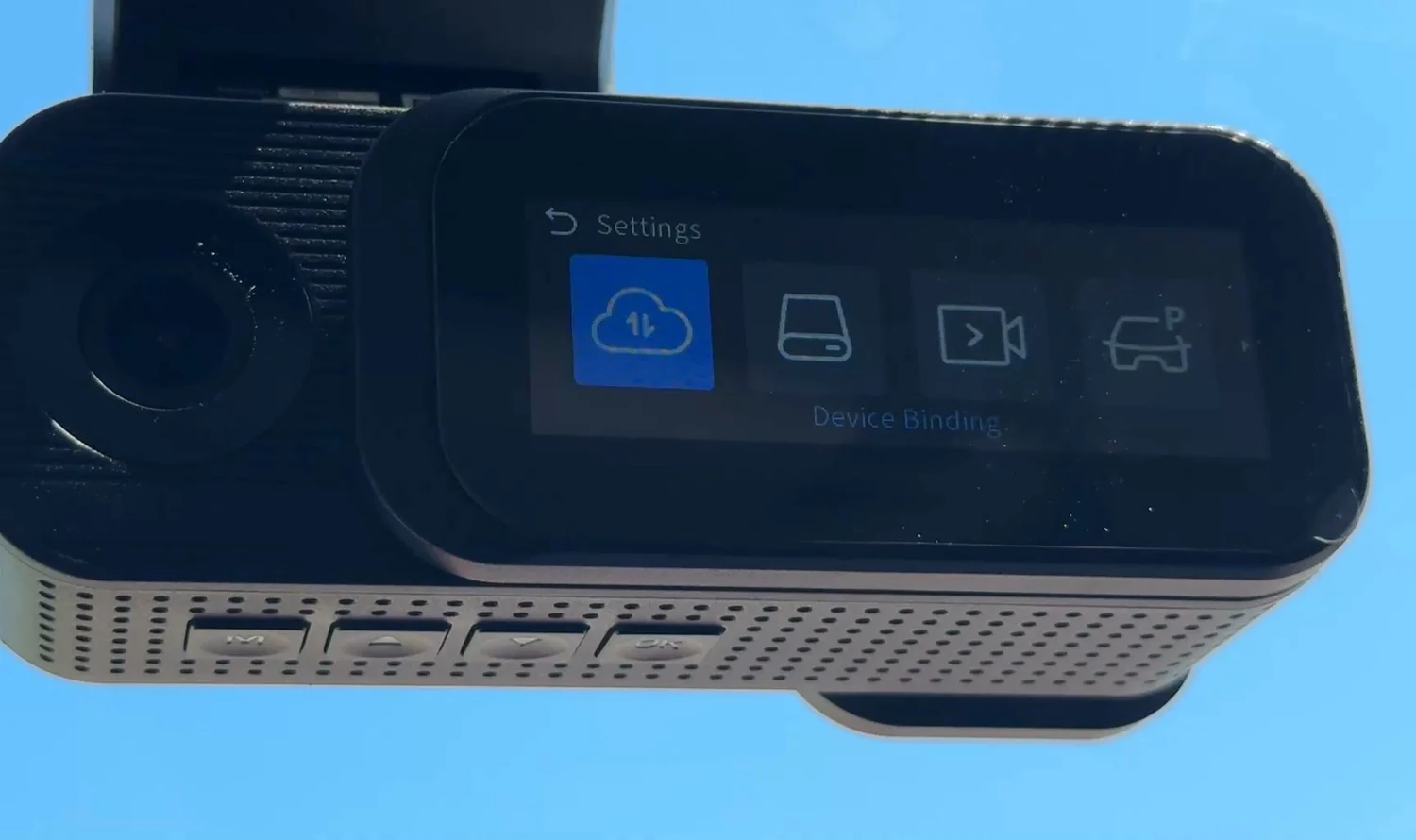
Device bindingPairing
Cloud settingsMenu
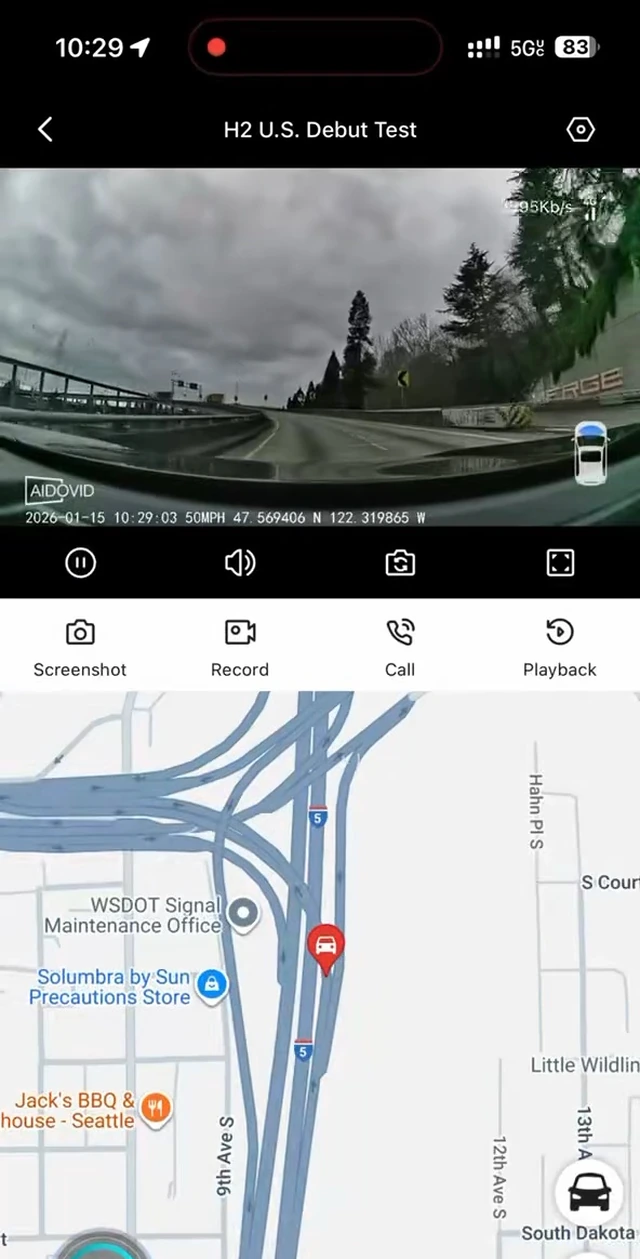
The SmartSF App live view: the road camera streaming, with screenshot, record, call and playback controlsLive view
The SmartSF App notification list — AI Sentinel, vibration and collision alerts, each with a clipAI Sentinel
The SmartSF App device settings: recording, sentry, collision sensitivity, cabin camera and watermarkSettings
A recorded trip played back in the SmartSF App, with the route drawn on the map below itRoute
00  ·  Fourteen seconds, unedited

A screenshot proves what an app looks like. It does not prove it runs.

So here it is running — a phone recording taken on a road test through Anaheim, California, with nothing cut out of the middle. The road is arriving over the camera’s own 4G: the figure in the top corner is the live bitrate, and the speed and the coordinates under the picture are the camera’s, not the phone’s.

The watermark reads AIDOVID — that is the name the app is listed under in the stores, and the name the camera stamps on its own footage. Live view needs an active plan and cellular coverage.

01  ·  What you can do from the phone

Four screens, and what each one is actually for.

Live view in the app Live view Seattle, I-5 southbound, 50 MPH — the camera’s own overlay.

See what it sees, now

Open the camera from wherever you are and look at either channel. The controls along the bottom take a screenshot, start a recording, open playback, or open the two-way call.

Needs an active plan and cellular coverage.

The SmartSF App notification list: each alert carries the clip and the time it happened Alerts One evening’s alerts, in the order they arrived, each with its clip.

What lands on your phone

AI Sentinel is a switch in the app; the alert list is where its output arrives. The decision about what is worth keeping happens on the camera’s 1 TOPS NPU, not in the cloud. Needs an active plan and cellular coverage.

Device settings Settings Recording, collision sensitivity, cabin camera, watermark, GPS, card.

Change how it records

Loop length, collision sensitivity, the cabin camera, the video watermark, GPS, screen brightness and the card — all of it from the phone instead of the five buttons.

Route on the map Route Constitution Avenue, Washington DC, during the US road test.

See where it has been

Five-system GNSS positions the trip on a map. Route history is kept 7 days on Standard and 30 days on Premium; Basic has none.

02  ·  Pairing

In the order it actually happens.

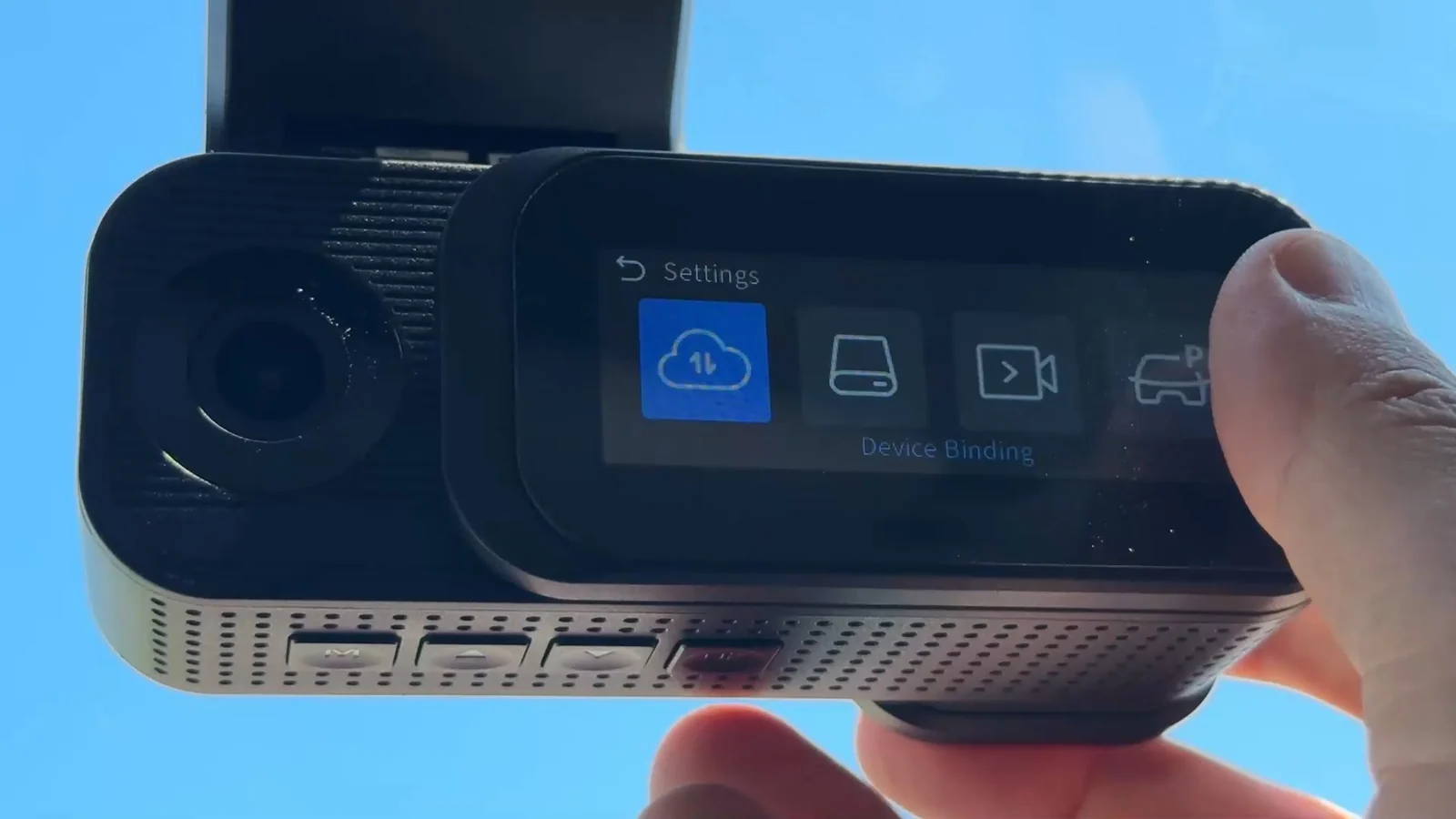
Device binding on the H2 screen
PairingDevice Binding
  • Install AIDOVIDApp Store or Google Play. Create an account — one account can hold up to five cameras.
  • Turn Bluetooth onBluetooth LE is only used to find the camera and do this first binding. It is not how the camera talks to you afterwards.
  • Stand next to the camera and add the deviceThe H2 puts a prompt on its own screen.
  • Press OK on the cameraStay close until the binding finishes.
  • It finds a network by itselfOnce bound, the camera connects over its own 4G to whichever local carrier is available. Coverage is not guaranteed everywhere.

It reaches your phone after that, not before. There is no SIM card to buy and no carrier account to open.

The app without a plan

  • Pair the camera and see it in your device list.
  • Change every setting the camera has.
  • Pull clips off the card over Wi-Fi 6 while you are standing at the car.
  • Firmware updates over the air.

The app with a plan

  • Live view from anywhere with cellular coverage.
  • Event alerts while the car is parked.
  • Two-way talk through the camera, and live GPS.
  • Cloud backup of locked event clips — Standard and Premium; Basic has none.
Two different 30 days, and they are not the same thing. A new H2 has 30 days of Standard features waiting at no charge — you claim it in the app after the camera is paired; it does not start on its own. Separately, your first paid subscription starts with its own 30-day trial: cancel any time before it ends and pay nothing; the first charge only comes when the trial is over.

Get the app.
Then get the camera it talks to.

Listed as AIDOVID in both stores · Free US shipping · 30-day returns

$179
Buy the H2