Before you buy
Do 4G Dash Cams Need a SIM Card?
Some do, some don't — and it decides whether the camera works the day it arrives. Also worth knowing: "no SIM card needed" is not the same as "no data cost". What each connection method actually gets you, and what still records with no plan at all.
Some do, some don’t — and it is the single biggest difference between two products that look identical on a shelf. A 4G dash cam either has a SIM tray you are expected to fill yourself, or it has the cellular hardware and the account built in, in which case there is no card to buy and nothing to insert. Both are sold as “4G dash cams”. Only one of them works the day it arrives.
There is a second thing worth saying immediately, because it is where people feel misled: “no SIM card needed” is not the same as “no data cost”. Cellular data is never free to the person providing it. A camera with built-in connectivity has simply moved that cost from a carrier bill into the camera maker’s own plan. What you are being spared is the errand, not the expense.
The three ways a dash cam gets online
| How it connects | What you have to do | What goes wrong |
|---|---|---|
| Your phone’s hotspot | Turn the hotspot on every drive, pair the camera to it | Dies the moment you leave the car — which is exactly when parking monitoring matters. Also eats your phone battery. |
| Your own nano-SIM in the camera | Buy a data-only SIM, pick a plan, open the tray, insert it, activate, and handle it again when it expires | Roughly a half-hour errand before the camera is useful. Cheap plans throttle. If the SIM lapses, the camera silently stops being connected. |
| Cellular built into the camera | Nothing physical — pair the camera to the app and activate the plan there | You are on the maker’s data plan, at their price. Worth checking what that costs before you buy. |
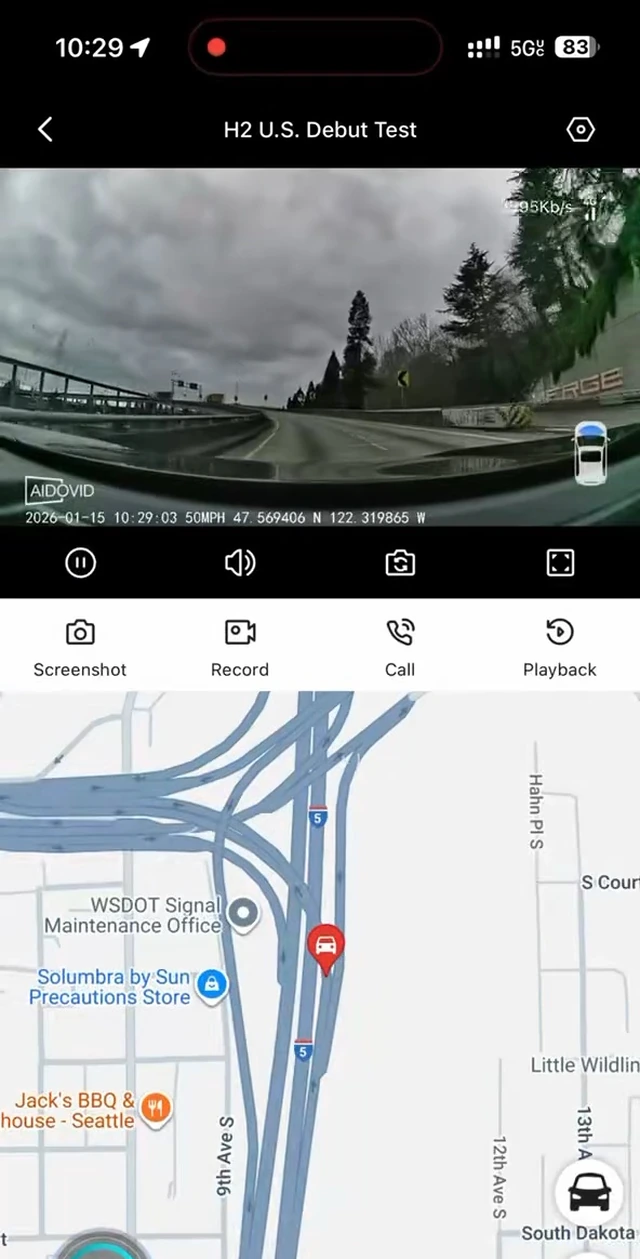
The first row is worth dwelling on, because it is how a lot of “connected” dash cams actually work and it undoes the main reason to buy one. A camera that depends on your phone’s hotspot can only reach you while you and your phone are in the car. The whole point of a connected dash cam — being told about something while you are in the office and the car is in a parking garage two miles away — is precisely what a hotspot cannot do.
What still works when there is no connection at all
This is the part that gets lost in the connectivity argument. On any competently built dash cam, the recording is local and does not depend on the network:
- Loop recording keeps running. The camera writes to its memory card whether or not it can reach a tower.
- Impact-locked clips still lock. A collision-triggered file is saved on the card and protected from being overwritten, with no network involved.
- You can still get the footage. Pull the card, or connect over the camera’s own Wi-Fi.
What the connection buys you is reach: seeing the live view from somewhere else, being notified while it is happening rather than discovering it later, and having important clips copied off the card automatically.
| Feature | Works with no data plan | Needs data + coverage |
|---|---|---|
| Loop recording to the memory card | Yes | |
| Collision-locked event clips (stored locally) | Yes | |
| Playback on the camera screen or over local Wi-Fi | Yes | |
| Remote live view from your phone | Yes | |
| Push alerts while you are away from the car | Yes | |
| Cloud copies of event clips | Yes | |
| Live GPS location and route history | Yes |
Coverage still applies — to every one of them
No dash cam, however it is connected, can send you an alert from an underground parking garage with no signal. Built-in cellular removes the SIM errand; it does not remove physics.
What a well-behaved camera does in that situation is keep recording locally and deliver the event when it regains signal, rather than losing it. That behavior is worth asking about specifically, because it is the difference between “no coverage” being an inconvenience and being a hole in your footage.
What to check on the product page
| Ask | Good answer | Warning sign |
|---|---|---|
| Is there a SIM tray? | Stated either way, clearly | “4G” in the title and no mention of a SIM anywhere in the listing |
| If there is no tray, whose data is it? | A named plan with published prices | “Free cloud” with no plan page |
| What does connectivity cost per month? | A number you can find before buying | A number you find after buying |
| Is there a free trial, and when does billing start? | How long, how to cancel, when the first charge lands | “Free trial included” and nothing else |
| What still works unsubscribed? | Local recording, explicitly | Silence — assume the answer is unfavourable |
| Is a memory card included? | Yes, with a stated size — or clearly no | “Supports up to 256 GB” with no word on what ships |
How the SmartSF H2 answers these
For the sake of a concrete example rather than a sales pitch: the H2 has 4G built in, so there is no SIM card to buy and no tray to open, and it does not use your phone’s hotspot. Pairing is done once over Bluetooth with the app.
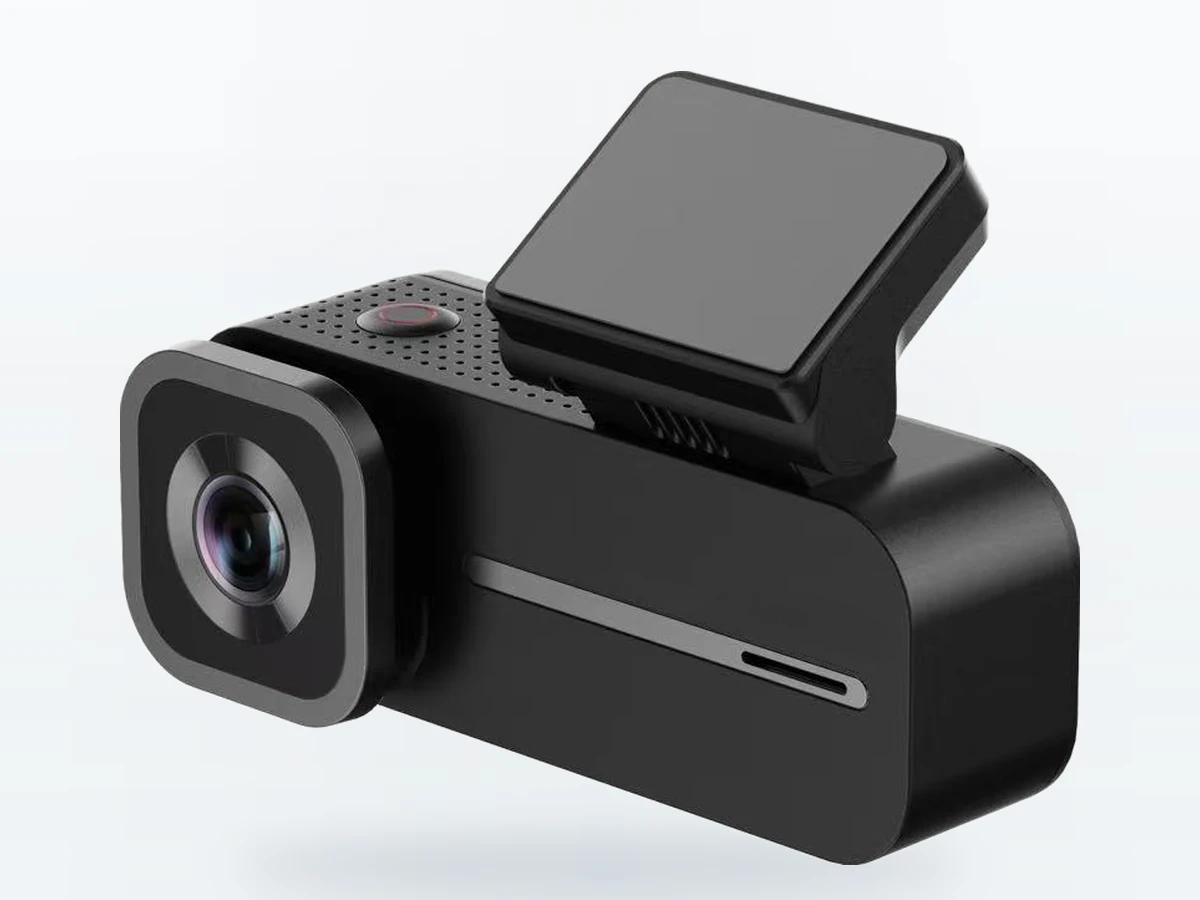
It ships with a 64 GB microSD card already installed, and it records to that card with no plan at all — loop recording and collision-locked clips are not plan features. The remote layer is: live view from your phone, push alerts while you are away, cloud copies of events, voice call and live GPS all require an active data plan and cellular coverage. Plans start at $9.99 a month, every new device has 30 days of Standard benefits at no charge that you claim in the app after pairing (they do not start on their own), and a first subscription adds a 30-day trial you can cancel before it ends at no charge.
That is the honest shape of it: no SIM errand, no hotspot dependency, and a monthly cost if — and only if — you want the camera to reach you when you are not in the car.
The short version
Ask two questions and you will not be caught out. Is there a SIM card I have to supply? — that decides whether the camera works out of the box. What does it cost per month, and what stops working if I never pay it? — that decides whether you actually want it. A camera that answers both plainly on its own product page is telling you something about how it will treat you later.