Installation
Hardwire vs OBD vs Battery Pack: Powering a Dash Cam for Parking Mode
Parking mode needs power the car keeps supplying after the ignition is off, which a cigarette-lighter socket usually doesn't. The three ways to fix that, what each of the hardwire kit's three wires does, and the one setting that keeps you from a flat battery.
Parking mode needs power the car keeps supplying after the ignition is off — and a cigarette-lighter socket usually stops supplying it. That one sentence explains almost every “my dash cam doesn’t record while parked” complaint. The camera is fine. It simply has nothing to run on.
There are three ways to fix that, and they trade off differently on install effort, cost, and how long the camera can keep watching. Here is how to pick.
Why the socket you’re already using doesn’t work
In most cars the 12 V accessory socket is switched: it is live with the ignition on and dead with it off. That is deliberate — it stops accessories flattening the battery. It also means a dash cam plugged into it powers down with the car.
Some vehicles leave the socket permanently live. That sounds like good news and is usually worse: the camera will happily run until it flattens a battery that has no alternator to top it up, because nothing in that path is monitoring the battery’s state of charge.
What parking mode actually needs is constant power plus a cutoff — a supply that stays live with the ignition off, and something watching the battery voltage that stops drawing current before the car won’t start. Every option below is a different way of providing that pair.
The three options
| Hardwire kit | OBD-II adapter | Battery pack | |
|---|---|---|---|
| What it connects to | Fuse box — constant, ignition-switched and ground | The car’s OBD-II diagnostic port | Nothing in the car; it charges while driving |
| Install effort | Highest — locating the right fuses, adding fuse taps, finding a ground point | Lowest — plug it in | Low, but it is a physical box to mount and route |
| Tidiness | Best — nothing visible, no port occupied | Occupies the OBD-II port, cable often visible | Bulkiest |
| Battery protection | Voltage cutoff, usually set in the camera | Cutoff in the adapter or the camera | Total — car battery is never touched |
| Reversibility | Removable, but you did wire it in | Unplug and it’s gone | Unplug and it’s gone |
| Suits | Owned cars, long-term installs | Leases, frequent car changes, anyone unwilling to touch the fuse box | Cars where you refuse any battery draw at all |
Hardwiring: what the three wires actually do
A hardwire kit is three conductors, and knowing what each is for makes the job far less intimidating:
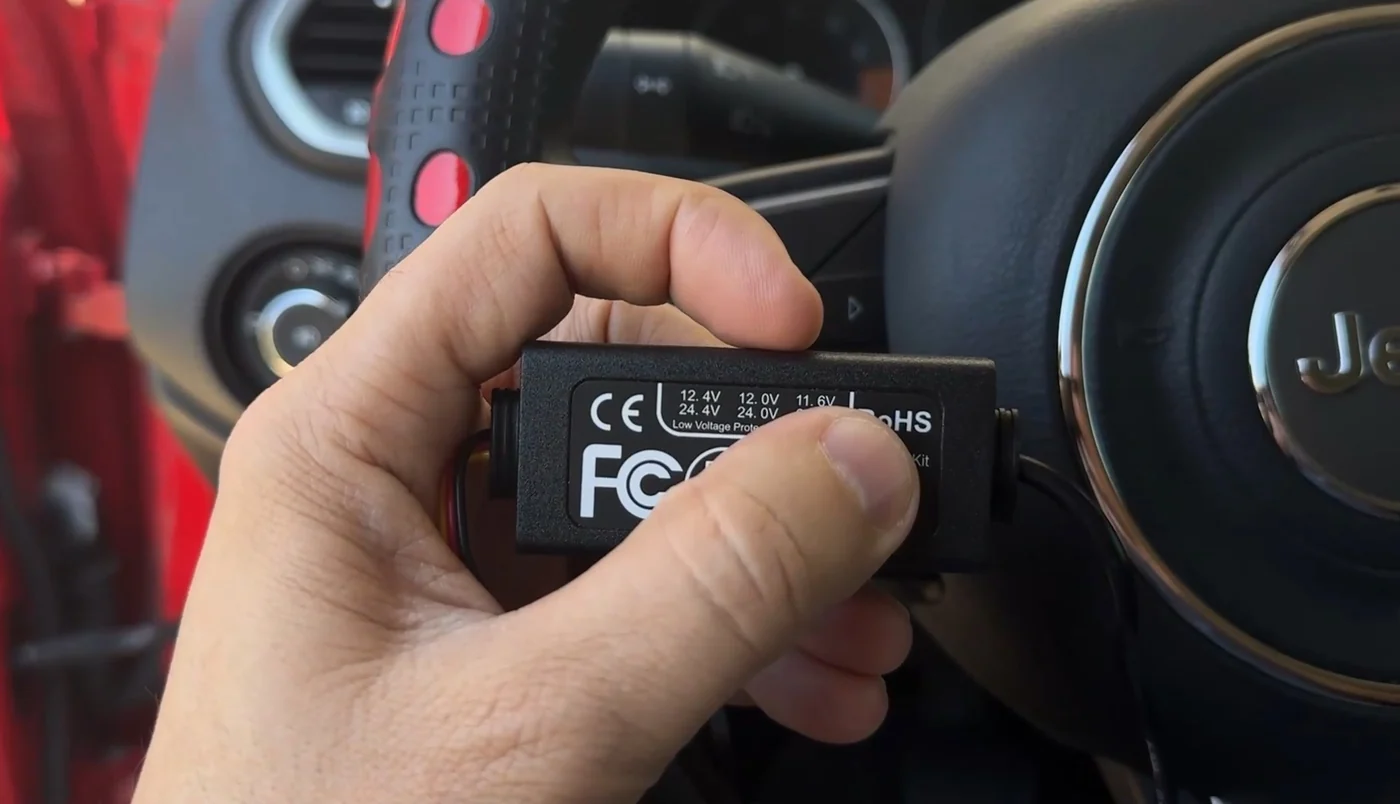
- Constant (often marked B+, usually yellow). Live all the time. This is what lets the camera keep watching after you walk away.
- Ignition-switched (ACC, usually red). Live only with the ignition on. This is how the camera knows whether you are driving or parked, so it can switch modes by itself.
- Ground (usually black). Bare metal on the chassis, not a painted panel and not a plastic trim screw.
The ACC wire is the one people are tempted to skip, and skipping it is why some installs never switch into parking mode at all — with no ACC reference, the camera cannot tell “parked” from “driving”.
Three practical cautions. Never tap a fuse that matters — airbags, ABS, anything safety-related; use a spare or a low-consequence accessory circuit. Use a proper fuse tap rather than splicing into a wire. And if a door has an airbag curtain in the pillar, route the cable around it, not through it.
OBD-II: the shortcut, with its own caveats
An OBD-II power adapter takes the same constant supply from the diagnostic port, so you get parking mode without opening the fuse box. For a leased car, or for anyone who would rather not wire anything, it is the sensible choice.
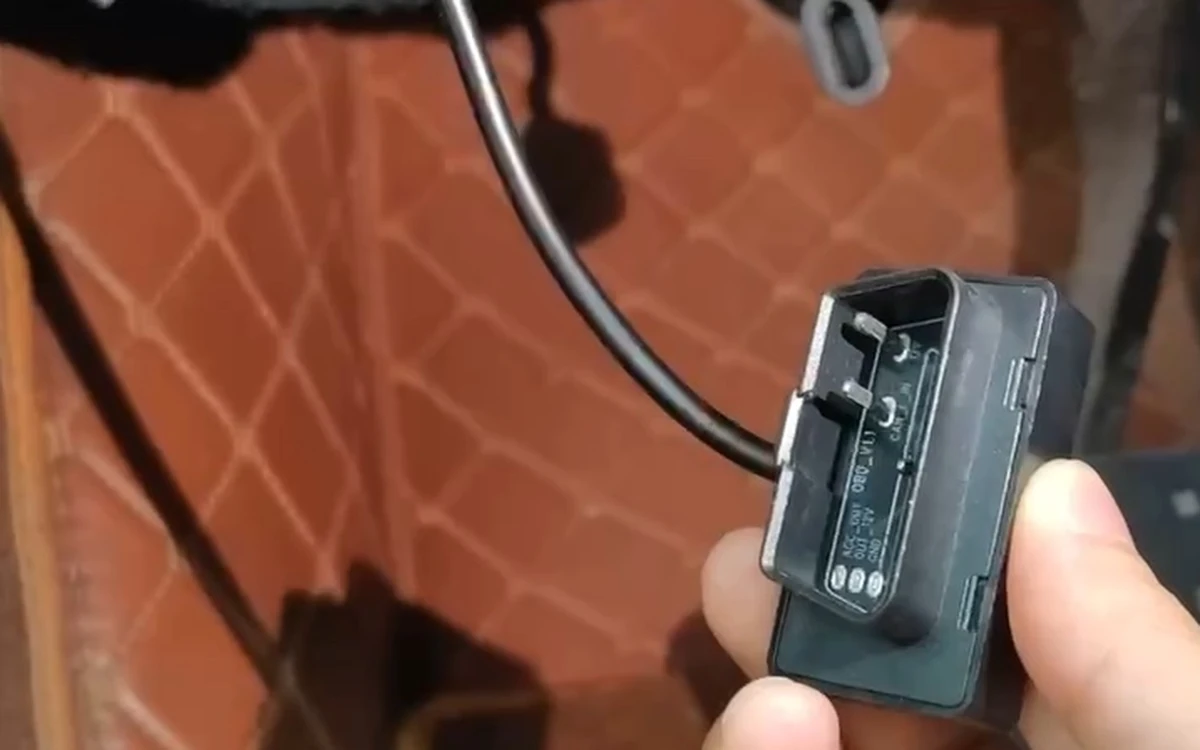
Two things to know. It occupies the OBD-II port, which is also where a garage plugs in — not a problem, but you will be unplugging it at service time. And on a small number of vehicles the port stays awake and keeps a module powered when the adapter is present; if your car is known for that, hardwiring is the cleaner answer.
The setting that actually protects your battery
Whichever route you take, the low-voltage cutoff is the setting that decides whether you ever get stranded. It tells the camera to stop drawing current once battery voltage falls to a set threshold, leaving enough to start the engine.
Set it too low and you are gambling. Set it too high and parking mode ends early, which feels like the camera is broken when it is in fact doing its job. Two things push the right threshold higher: cold weather, which cuts available cranking current, and an older battery, which sags faster under load.
A practical way to calibrate it: park the car overnight with parking mode on, then check in the morning how long the camera actually stayed awake. If it cut out far earlier than the window you set, the battery is the limit, not the camera.
How long parking mode can realistically last
Longer than most people expect on a healthy battery, and shorter than the maximum on a tired one. The honest variables are battery age and state of charge, ambient temperature, how much of the time the camera is actively recording rather than watching, and where you set the cutoff.
Because of that, treat any single headline number as a ceiling rather than a promise, and set the monitoring window to what you actually need. Overnight outside your house and eight hours in an office parking garage are very different asks from the same battery.
How the SmartSF H2 handles this
As a concrete example: the H2 ships with the B+/ACC/GND hardwire cable and a fuse-box adapter set in the box, so hardwiring does not need a separate purchase. The current batch also includes an OBD-II power adapter in the box, free while supplies last, for people who would rather not touch the fuse box at all. There is no cigarette-lighter cable in the box, which is deliberate — that socket is exactly the power source parking mode cannot rely on.
Its AI Sentinel parking modes cover monitoring windows of up to 24 hours, with collision detection and a low-voltage cutoff that stops monitoring when the battery falls below a threshold you set. The camera records to its pre-installed 64 GB microSD card regardless; being alerted about a parking event while you are away is the part that needs an active data plan and cellular coverage.
The short version
Parking mode is a power problem before it is a camera problem. Hardwire if you own the car and want it invisible; use an OBD adapter if you would rather not wire anything or the car is on lease; use a battery pack if you want zero draw on the car. Whichever you choose, connect the ACC wire so the camera knows it is parked, and set the low-voltage cutoff with an honest view of how old your battery is.