Before you buy
Cabin Camera and Privacy: What a Rideshare Driver Needs to Know
Rideshare cabin camera rules come from your state and your platform; the H2 ships with audio off, and sliding its display shut covers the cabin lens.
Three things decide the privacy question for a rideshare driver, and none of them is the camera’s resolution. First: in most of the United States you may record video inside your own vehicle, but whether you have to tell riders depends on your state and on your platform’s current rider-recording policy — not on the camera. Second: audio is the part that most often needs consent, and on the SmartSF H2 audio recording is switched off from the factory. Third: on the H2 the cabin lens can be physically covered by sliding the 2.99-inch display shut, which a Hall sensor reads as a hardware state rather than a menu setting.
That last point matters before you buy any three-channel camera, because “turn the interior camera off” means different things on different hardware. Below: what you control, what you must check elsewhere, and what footage leaves the car.
Do I have to tell passengers the cabin camera is recording?
That is a legal and policy question, not a product question, and it has two separate halves. Recording-consent law varies by state and is the vehicle owner’s responsibility — we do not publish state rules here, and nothing on this page is legal advice. Separately, the rideshare platform you drive for publishes its own rules about recording riders; those change, so read the platform’s current policy in its driver materials rather than a thread from two years ago. In practice most drivers who record the cabin post a small visible notice, because disclosure costs nothing and defuses the conversation at the door.
What the camera contributes is narrower than people expect: a factory-off audio setting, a lens you can physically cover, and a default where nothing leaves the vehicle unless a plan is active. The table separates the parts you set from the parts someone else decides.
| What to check | Who decides it | Where to look | What the H2 gives you |
|---|---|---|---|
| Whether recording riders is permitted at all | Your rideshare platform | The platform’s current rider-recording policy, in its own driver materials | Nothing — this is a policy question the hardware cannot answer |
| Whether audio needs consent where you drive | State law; the owner carries the responsibility | Your state’s recording-consent statute, or a lawyer | Audio recording is off from the factory; the Down button turns it on |
| Whether a visible notice is required or merely sensible | State law plus platform policy | Both sources above | No setting; a sticker is a decision you make |
| Whether the cabin is recorded on a given trip | You, per trip | The camera itself, no app needed | Sliding the 2.99-inch display shut covers the cabin lens; a Hall sensor reads the position |
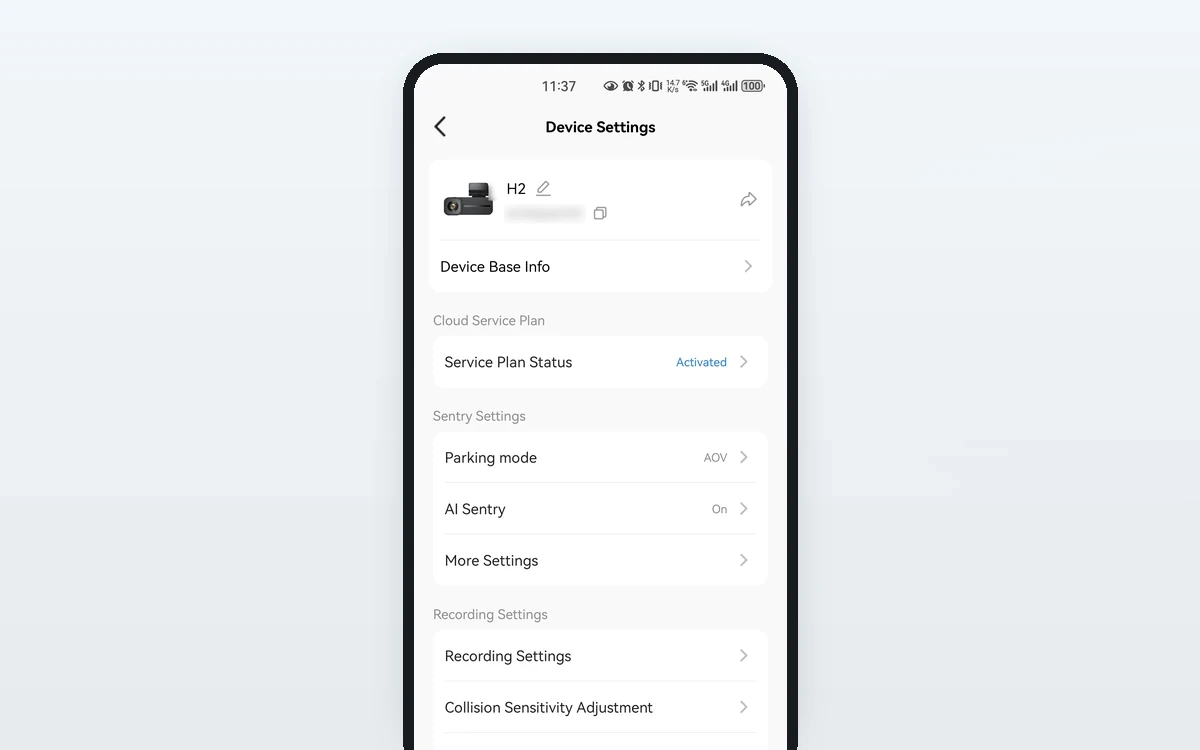
| Whether any footage leaves the vehicle | Your plan status | Service Plan Status in the app’s Device Settings | With no active plan, recording stays local on the included 64 GB microSD card |
| Whether another person can open your clips | You, by who you add as a shared user | The sharing list in the SmartSF App | Basic shares with 2 users; Standard and Standard Yearly with 10; Premium unlimited |
Can I turn the cabin camera off when I am not working?
Yes, and on the H2 it is a physical act rather than a software one. The 2.99-inch IPS display slides: open, it exposes the cabin camera; shut, it covers the cabin lens, and a Hall sensor reads that position so the camera knows the state of its own shutter. Nothing in an app has to be trusted, nothing has to be re-set after a firmware update, and a rider can see the cover with their own eyes.
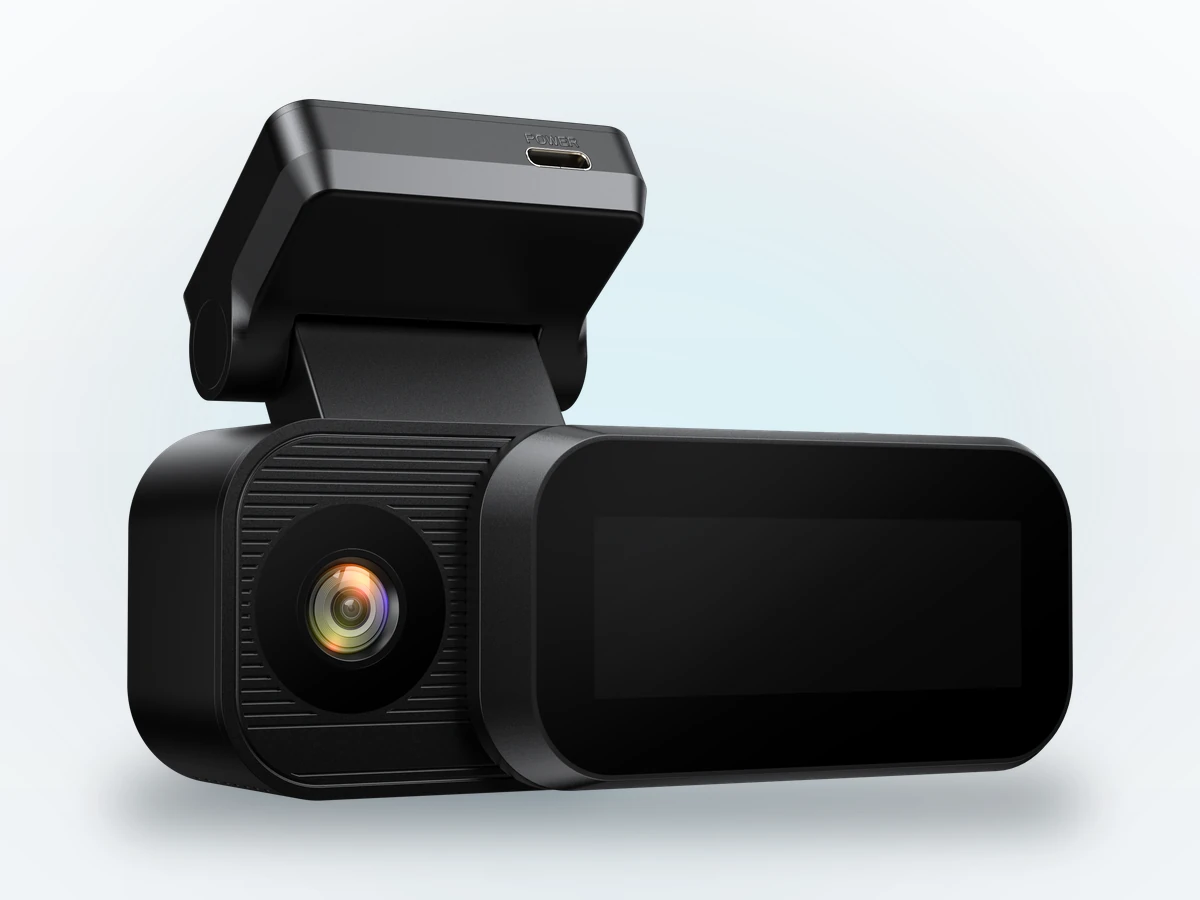
The road-facing camera keeps working while the cabin lens is covered, so covering it is not the same as switching the dash cam off. That matters both ways: your forward evidence is intact on a personal trip, and covering the cabin lens does not stop the parked-car watch. The display is also how you aim the camera at install time, before anything is paired — five physical buttons, no touchscreen.
Is the audio recorded too?
Not unless you switch it on. Audio recording ships off from the factory on the H2 and the Down button turns it on, which makes audio the one privacy decision you have to make deliberately rather than discover later. Make the choice on purpose in both directions: audio is often the most useful part of a clip when a rider dispute becomes an accusation about what was said, and it is also the part most likely to require consent. If you are unsure about your state, the conservative order is to leave audio off, post a notice, and settle the legal question before changing it.
Who can see the cabin footage, and where does it live?
By default, only you, and only in the car. The H2 writes to the pre-installed 64 GB microSD card in loop segments of 1, 2 or 3 minutes, with event clips locked so the loop does not overwrite them. Local recording needs no plan at all, so a driver who wants interior coverage purely as evidence can run the camera with nothing enabled remotely and no footage crossing a network.
Cloud and remote features change that deliberately, and it is worth knowing exactly how much. Remote live view, push alerts and cloud event storage require an active data and cloud plan plus cellular coverage. Cloud event clips are retained 7 days on the plans that include cloud storage; Basic has no cloud storage at all. The cloud copy is 1280×720 at 30 fps — smaller than the file kept on the card, so the card always holds the better original. GPS track history runs 7 days on Standard and 30 days on Premium. Sharing is an explicit list you build: 2 users on Basic, 10 on Standard and Standard Yearly, unlimited on Premium. Every new device has 30 days of Standard benefits that the owner claims in the app after pairing — they do not begin on their own.
How much does the cabin camera actually see?
All three cameras use the same 2 megapixel CMOS OS02H10 1/2.8-inch sensor; the lens in front of it is what differs. The cabin optics pass 940 nm infrared — the wavelength used for in-car illumination that does not glare at the people in the seats. The frame-rate menu offers 25, 30 or Auto and ships set to 25 fps.
| Camera | Recorded resolution | Lens | Field of view (diagonal / horizontal / vertical) | In the standard box? |
|---|---|---|---|---|
| Road-facing | 2560×1440, interpolated from the native 1920×1080 sensor | F1.55, 3 mm, 2G4P; hardware HDR, WDR and 3D DNR | 136.8° / 115.8° / 61.4° | Yes |
| Cabin-facing | 1920×1080 | F2.0, 3 mm, 2G3P1R, 940 nm IR-compatible | 138° / 115.8° / 62° | Yes |
| Rear | 1920×1080 | F2.0, 2G3P | 132° / 107° / 55° | No — rear-camera kit option only (+$20) |
A 138° diagonal view from behind the mirror holds the front seats and most of a sedan’s second row, which is what the question usually means. The rear camera is not sold as a separate product; once it is back in stock an owner can arrange one at the same $20 by emailing support@smartsfweb.com, so starting with the camera alone does not close the door on it.
Where does this stop being the right camera?
Several places, all easier to hear now than after it is on the windshield.
- There is no published night-vision range and no plate-readability claim. The cabin optics are IR-compatible and the road camera has hardware HDR, but the specification supports no distance figure, so we do not print one.
- It is not a 4K camera. The road camera’s 2560×1440 is an interpolated mode built on a native 1920×1080 sensor, and the cabin and rear cameras are 1080p. If native 4K is the requirement, buy something else.
- Covering the lens is all or nothing. There is no selective blurring, no face masking and no per-rider mode — the cabin lens is either covered or it is not.
- The legal work stays yours. We publish what the hardware does, not a state-by-state rule list.
- It is not an indefinite parking guard. The parked watch runs for the window you set, up to 24 hours at a time, and low-voltage protection ends it when battery voltage reaches the threshold.
- It is not online out of the box. Pairing over Bluetooth LE and binding with the OK button come first; there is no SIM card to buy, but there is setup, and remote features need an active plan.
- If you never want interior recording, you are overbuying. The cabin lens can stay covered permanently, but a front-only camera would cost you less for the same result.
The short version
- Video of riders is generally permitted in your own vehicle; disclosure requirements come from your state and your platform, and both are worth checking in their current form.
- Audio is the setting that most often needs consent. On the H2 it is off from the factory; the Down button turns it on.
- The cabin lens is covered by sliding the 2.99-inch display shut — a hardware state read by a Hall sensor, visible to the passenger, with the road camera still recording.
- With no plan, footage stays on the pre-installed 64 GB card. With a plan, cloud event clips are kept 7 days, the cloud copy is 1280×720 at 30 fps, and the card keeps the better original.
- Who else can see your clips is a list you build: 2 shared users on Basic, 10 on Standard, unlimited on Premium.
- No night-vision range, no plate guarantee, no selective blurring — and the legal decisions stay with the driver. See the FAQ for the rest.